Xbox controller mode
Games that only understand Xbox controllers see one, driven by yours. You choose when it starts, and it stops the moment you say.
A living home for indie games: dev logs, player feedback, reviews, studios, and the community around everything being built.
Bring your PlayStation controller into any PC game. ZeroPad makes it look like an Xbox controller to games that expect one, then lets you shape how it plays and feels.
0.2.4 · Windows 10 / 11 x64 · No account needed
Works with
Games see an Xbox 360 controller.
One app to get it into the game, make it feel right, and show you exactly what it's doing.
Games that only understand Xbox controllers see one, driven by yours. You choose when it starts, and it stops the moment you say.
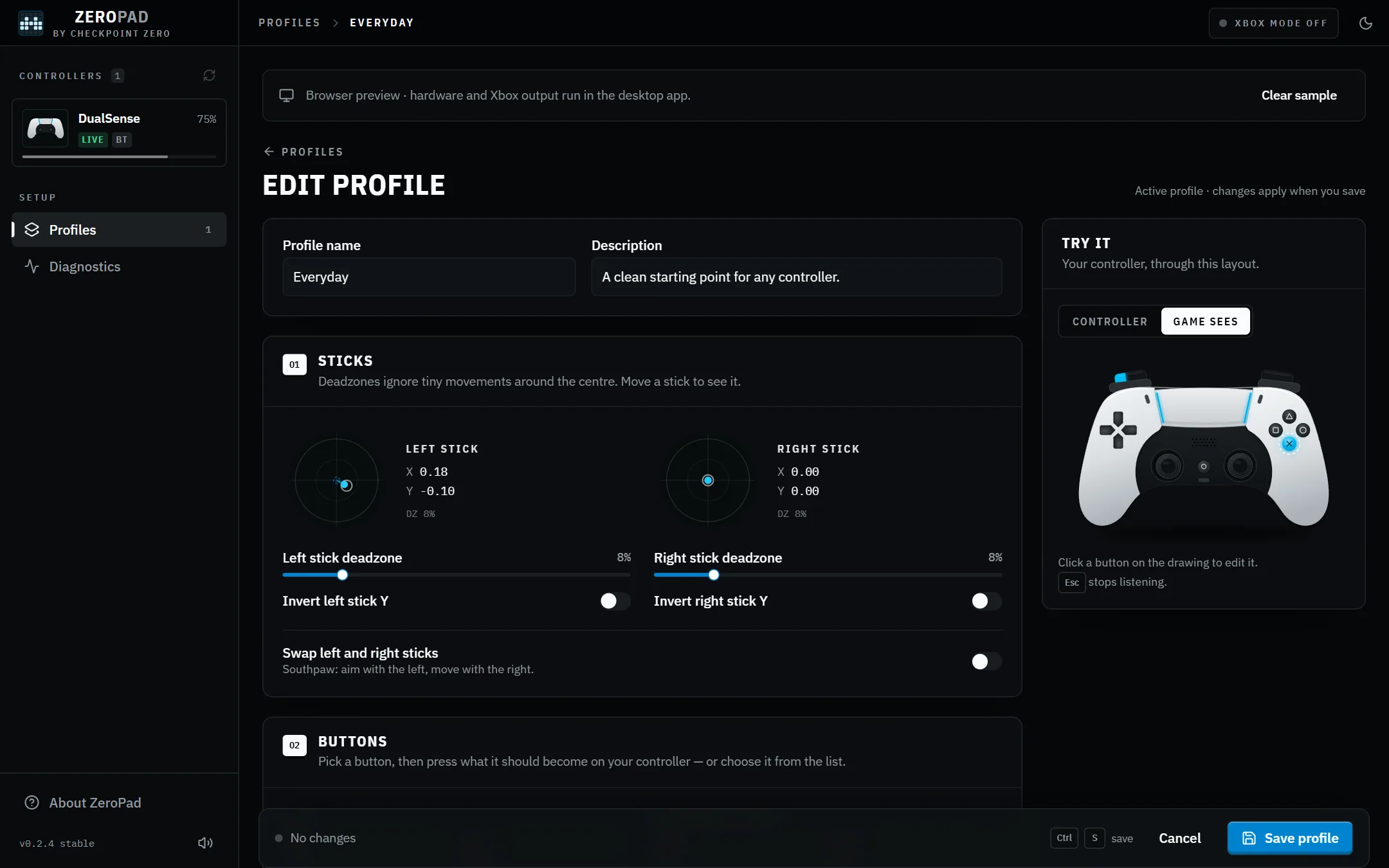
Remap any button, set stick deadzones, invert or swap sticks, and keep a layout for each game. Switch even mid-game.
No configuration files, no command line.
Run the Windows installer. For Xbox mode it can add the ViGEmBus driver, and asks before it does.
Plug your controller in with a data cable, or pair it in Windows Bluetooth settings. ZeroPad finds it.
Pick a profile, turn on Xbox mode, then start your game. Keep ZeroPad open while you play.
ZeroPad is in early development. It works well with a DualSense today, and wider testing is underway.
Yes. It is open source under the MIT license, with no account, subscription or ads. The code is public, so you can read exactly what it does.
Turn on Xbox controller mode before launching the game. If the game was already open, restart it. If output cannot start, ZeroPad’s Diagnostics page shows what is missing.
Good tools should be within everyone’s reach. ZeroPad’s code, releases and roadmap are public, and feedback shapes what comes next.
Free for Windows. Install it, connect your controller, and you’re in.
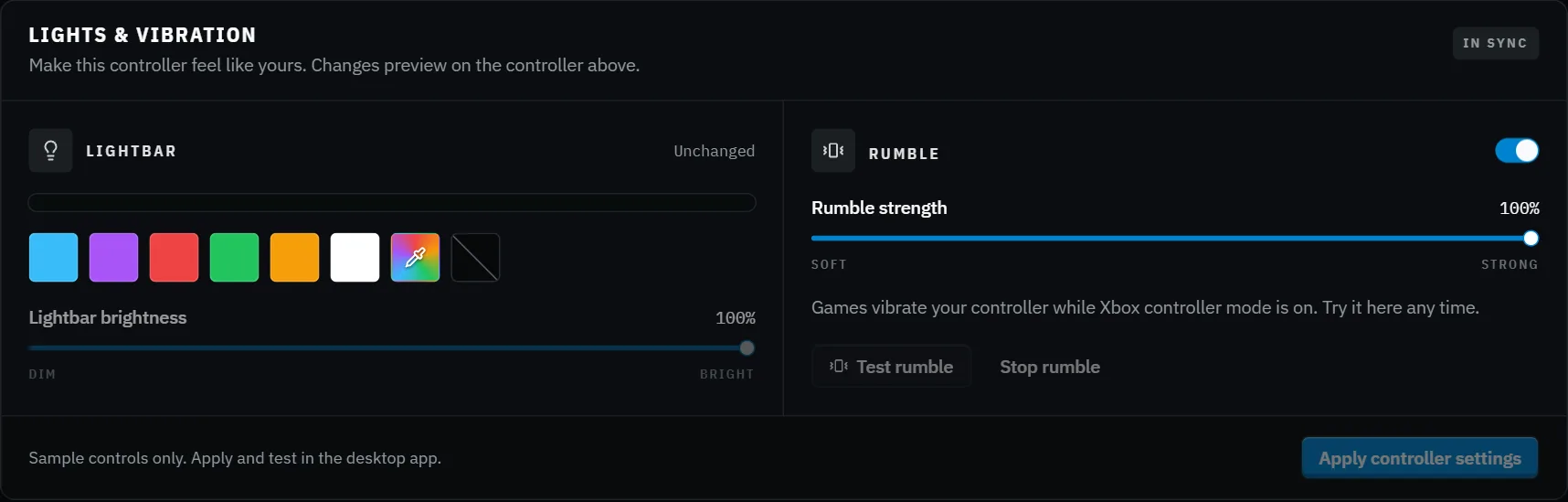
Pick the lightbar's colour and brightness, set how strong rumble feels, and test it right away.
New versions are checked against Checkpoint Zero's signing key before they install. Your profiles are kept.
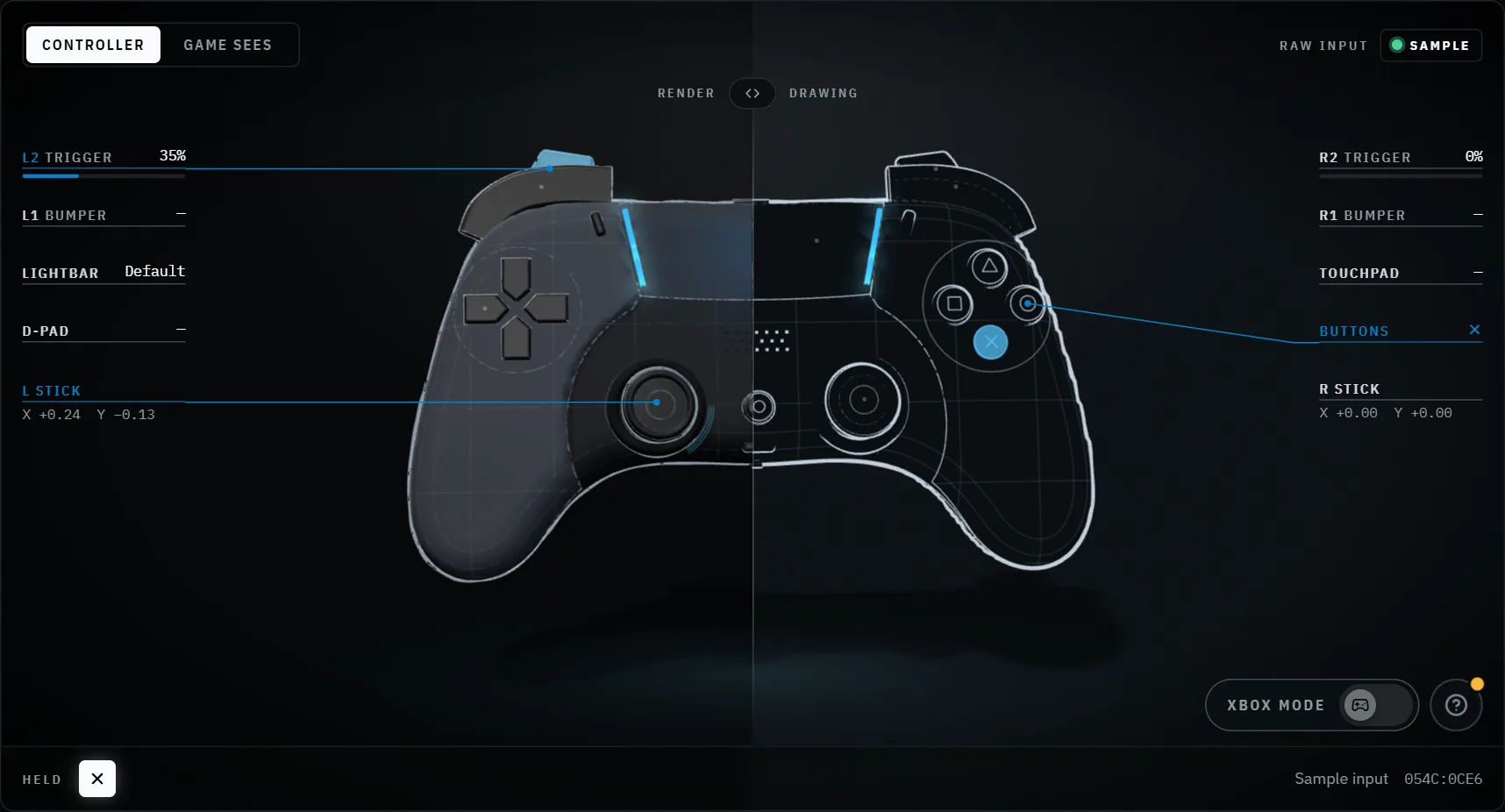
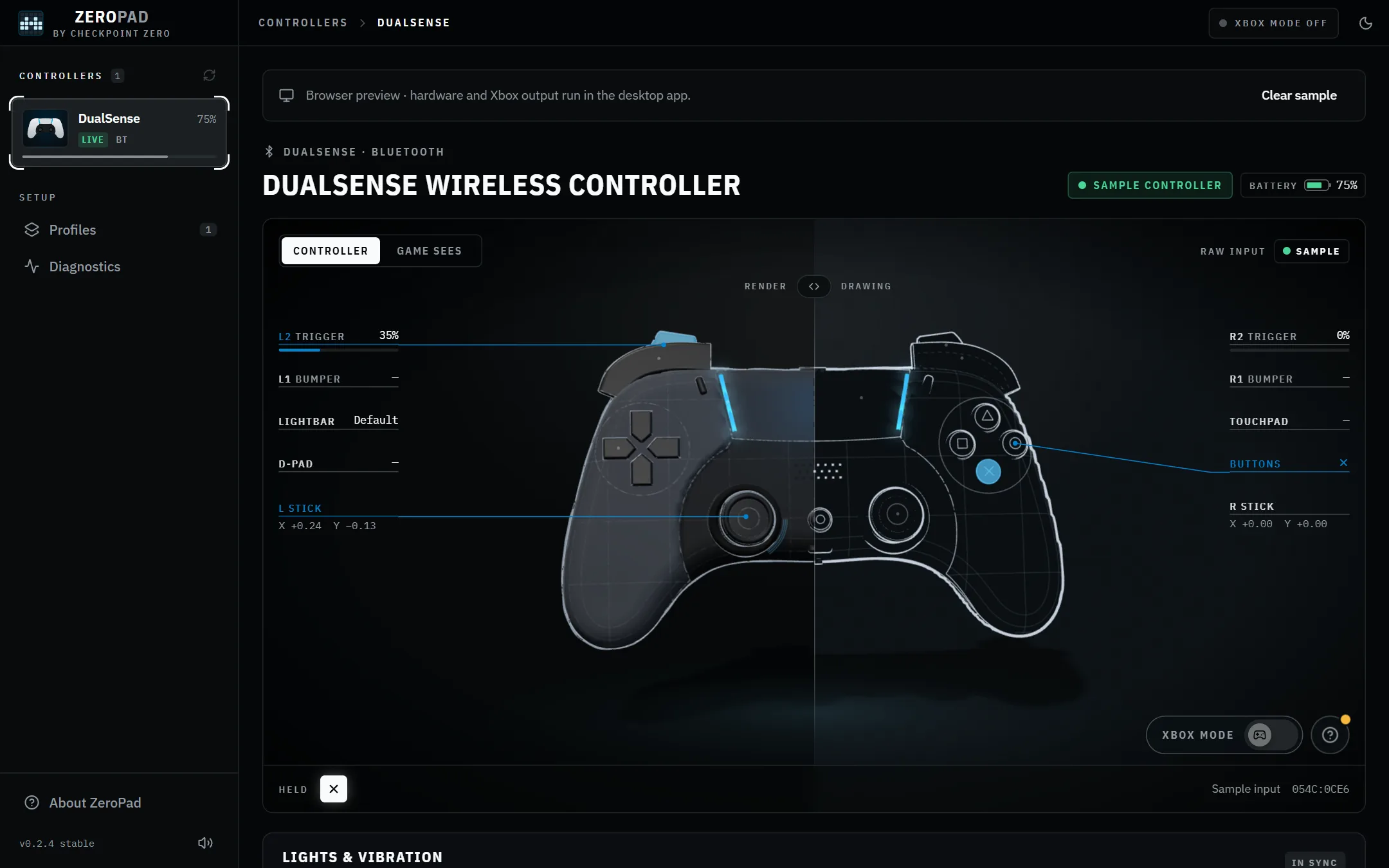
Every press, stick and trigger shows live, with a sound for each, so you know what the game will get.
One page shows what's connected, what ZeroPad can read, and whether Xbox output is ready.
Install it and play. No sign-in, no subscription, no ads. Just the app.
The game may see both your controller and the virtual Xbox one. Close other controller tools and check the game’s Steam Input setting. If you use HidHide, allow ZeroPad before hiding the controller.
The installer is not yet signed with a Windows code-signing certificate, so Windows may show a warning. Updates downloaded inside ZeroPad are verified with Checkpoint Zero’s signing key separately.
Setup, pairing and profiles.
0.2.4 · Windows x64